



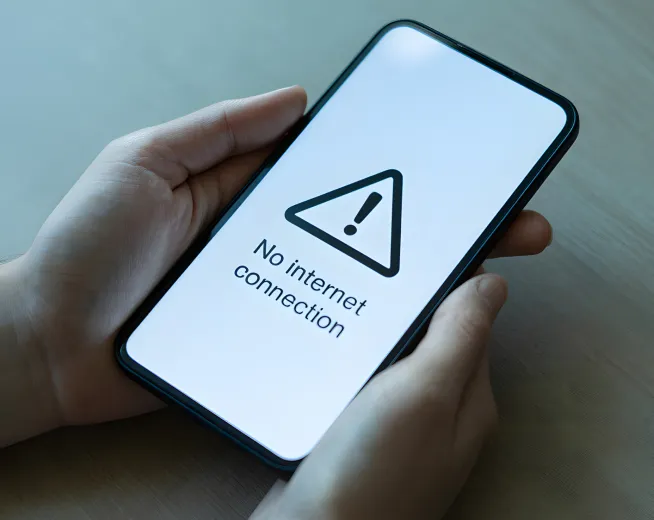
There are many reasons why your mobile data may not work as intended.
If you’ve purchased your Lyca Mobile SIM card recently or updated your phone software, then the culprit is your smartphone’s APN.
But what is an APN?
What role does it play in your smartphone’s internet connectivity?
And why did it change in the first place?
We’ve answered all these questions. We’ve also talked about how you can change the APN on your smartphone. Continue reading.
Choose the Best SIM Only Plans with Great Value
Promo Price for 6 Months
Ireland Plus
€ 9.00 / 28 days
30GB Data
- Unlimited National calls & text
- 23GB EU, Ukraine & Moldova roaming data
- e SIM available
Promo Price for 12 Months
Go Unlimited
€ 11.00 / 28 days
Unlimited Data
- Unlimited National calls & text
- 30 GB EU, Ukraine & Moldova roaming data
- 100 Mins of Free calls to 31 Countries
- 100 GB 5G Data Nationwide
- eSIM available
What is an APN?
APN is short for Access Point Name. It contains the information required for your smartphone to connect to the internet or send/receive MMS. It acts as a type of guide to direct your smartphone to the public internet.
Depending on your operator, the APN settings may be sent via a configuration message or have to be manually updated.
Modifying the APN is usually a one-time thing. You may have to edit your smartphone’s APN if
- You’re inserting a new SIM card
- You’ve recently updated your phone software
- You plan to visit another country
- You’re unable to connect to the internet
The next sections explain how you can set the APN for iOS and Android devices.
How to Set the APN on Android
Before you manually set the APN, you have to find the option in your Android smartphone. Here is the path to follow.
Settings>Connections*>Mobile Networks>Access Point Names>Tap the Plus (+) symbol
You will see a list of various options. Look for the following labels and update the respective fields.
- Name: Lycamobile
- APN: data.lycamobile.ie
- Username: lmie
- Password: plus
Do not modify anything else. Next, tap to select the newly created APN. Restart your smartphone to enjoy high-speed mobile data.
*The Connections option might be referred to as Network & Internet based on your device manufacturer.
How to Set the APN on iPhone
The steps are pretty similar to those of an Android device. Here’s the path you should navigate to.
Settings>Mobile Service>Mobile Data Network
Update the following in the list of options displayed. Do not change anything else.
- Name: Lycamobile
- APN: data.lycamobile.ie
- Username: lmie
- Password: plus
Once you’re done, just tap back and restart your device. Your Lyca Mobile data issues should be fixed now.
Winding Up
You’ve just learned about the steps involved in modifying/adding the APN for Android and iOS devices. If you’re facing issues with mobile data, then modifying the APN should do the trick. This method is especially useful if your mobile data issues appeared after a major OS update or after inserting your new Lyca Mobile SIM card.
However, if you still can’t connect to the internet but you have a valid plan, then it’s time to seek technical assistance. Reach Lyca Mobile’s customer service by dialling
- 1923 from a Lyca Mobile number
- 01-437-2322 from other networks
- +3531 437 2322 from outside of Ireland
Our executives will be happy to assist you.
FAQs
Why is my mobile data not working even with full signal?
There are multiple reasons why your mobile data may not be working even with full signal bars.
- Your APN isn’t configured correctly
- You don’t have a valid plan
- Your cellular data is turned off
Can incorrect APN settings affect 5G and hotspot usage?
Yes, incorrect APN settings will affect 5G and hotspot usage. APN settings must be properly configured, as they act as a gateway to internet connectivity to your device. Incorrect information in the APN settings will lead to connectivity issues.